About YubiKey
Follow the instructions to set up the PingID app for Multi-Factor Authentication using YubiKey.
First time setup of MFA using Yubikey
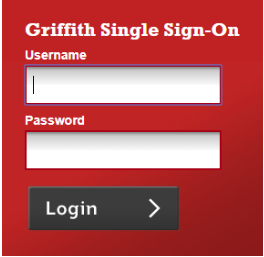
1. Login to the Griffith portal, or any Griffith system using Single Sign-on to access (e.g. email) from the browser > enter your sNumber and password.
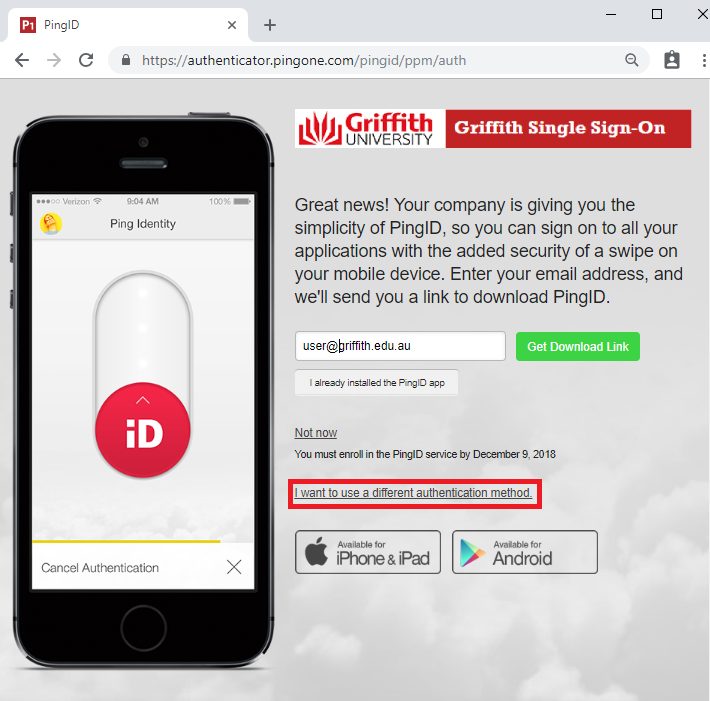
2. From the PingID registration screen > select I want to use a different authentication method.
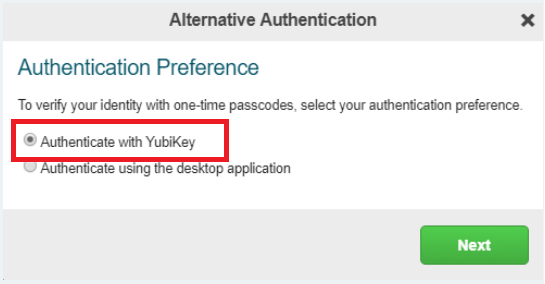
3. Check Authenticate with YubiKey > select Next.
4. Insert your YubiKey into the USB port on your computer when the Setup Yubikey window opens.
Make sure the Alternative Authentication window is the active window on your computer, and then tap the YubiKey.

A one-time passcode (OTP) is automatically generated and inserted into the YubiKey Setup window and Verify is selected automatically. You'll see a green checkmark indicating the pairing request is successfully, and you are automatically signed into your account or app.
You will receive an email confirmation of adding Yubikey as a device on your Griffith email.